
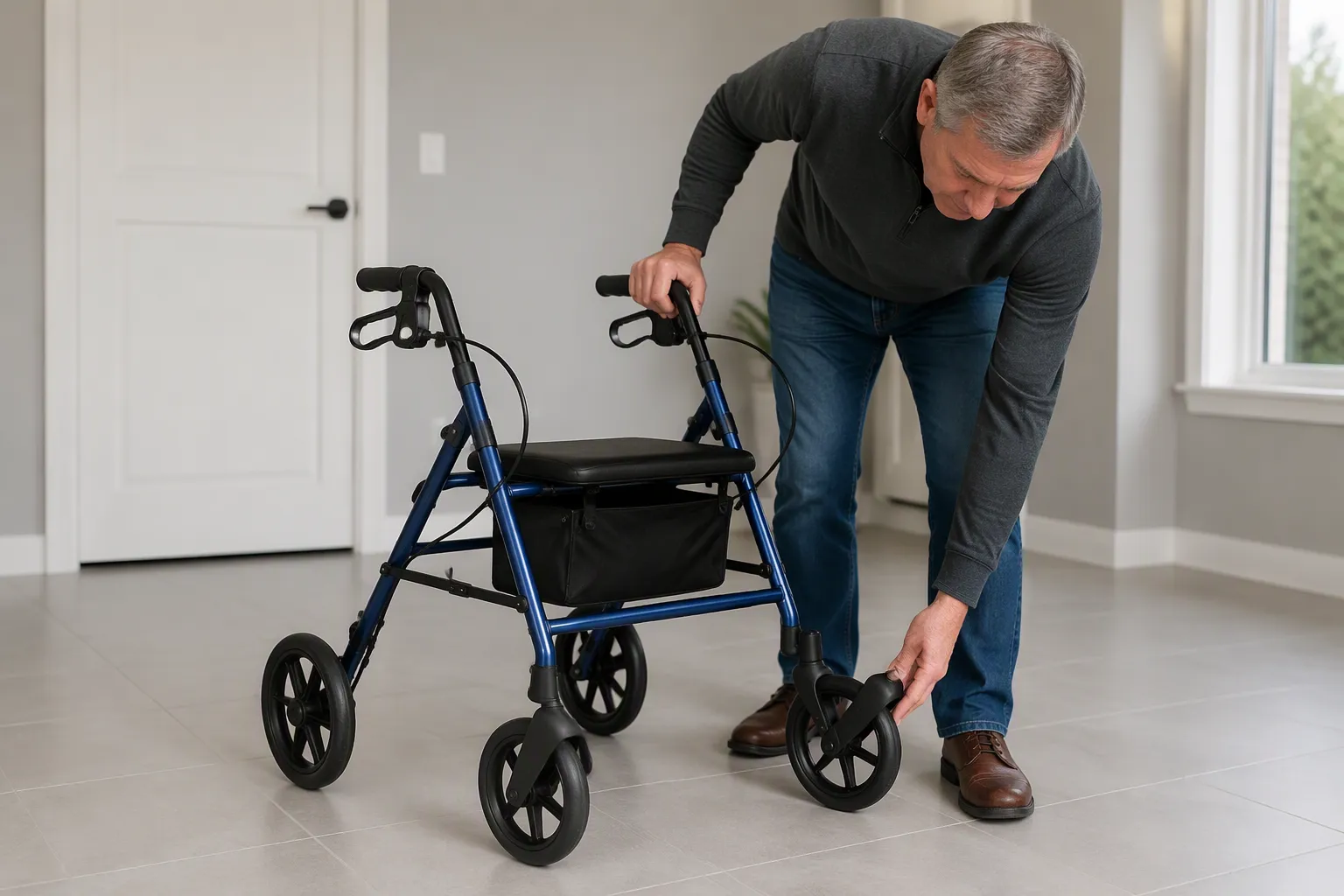
A rollator pulls sideways because a brake drags. Debris clogs the wheel. That drag steers the unit to one side. A four-wheeled walker with brakes loses stability under the friction. Dirt in the axle blocks free spinning. A walker needs a quick fix. The following process checks handle height first, then cleans the axle. Adjusting the handle height releases the drag. Cleaning the axle removes the debris.
Why Your Rollator Pulls to One Side When Moving
Two primary mechanical issues cause a rollator to drift on a flat surface. A brake that is slightly engaged or debris lodged in a wheel axle both create uneven resistance. This imbalance makes one wheel turn slower than the opposite wheel, steering the entire unit off its intended path. Understanding these forces helps a user identify the source of the problem quickly.
A Slightly Engaged Brake
A rollator that consistently pulls to one side often indicates uneven brake tension. Uneven brake tension means one brake applies more pressure than the other. That extra pressure makes the affected wheel rotate slower. The opposite wheel, free from resistance, rolls farther forward in the same time. The result is a curved path that turns the rollator toward the slower wheel. This mechanical behavior is straightforward: a faster wheel pushes ahead, and the unit pivots around the dragging side.
How Brake Drag Steers the Rollator
A brake that drags on one rear wheel creates extra friction, making that wheel harder to rotate than its counterpart. On flat ground, the opposite wheel covers more distance in the same duration. The speed differential forces the rollator’s path to curve toward the slower wheel. Uneven brake tension produces the identical outcome because it keeps one side consistently slower. This constant drag to one side compromises the walker’s straight-line movement. The user must correct the steering constantly, which places strain on their arms and reduces overall comfort.
Why It Shows Up on Flat Floors
Flat floors expose this problem more readily than uneven terrain. On carpets or outdoor ground, the surface itself offers resistance that masks minor wheel speed differences. A smooth, level floor provides minimal resistance. Any friction difference between wheels becomes the dominant force. Therefore, a walker may roll straight outdoors but pull noticeably on a tiled hallway or wood floor. The visible curvature on a flat surface often surprises users, yet it serves as a useful diagnostic sign that a brake needs adjustment.
Dirt in the Wheel Axle
Dirt accumulation represents the second frequent cause of directional pulling. Foreign particles enter the axle over time through everyday use. Dust, pet hair, and grit combine with lubricant to form a sticky residue. This residue hinders the free rotation of one wheel. The affected wheel moves sluggishly, creating the same speed imbalance as a dragging brake. Users frequently overlook axle maintenance, which allows debris to build gradually.
How Debris Slows One Wheel
Dirt trapped in the axle increases rotational friction. The wheel resists turning because grit creates a rough surface between the axle and its housing. This friction acts as a hidden brake, slowing one wheel without any visible cause. The opposite wheel spins normally, maintaining its expected speed. The speed difference between the two wheels causes the walker to veer toward the clogged side. Uneven brake tension remains the first suspect, yet a dirty axle produces nearly identical symptoms.
Why Flat Floors Make It Noticeable
Flat floors amplify the effect of a sluggish wheel. Uneven surfaces require constant user input to navigate, compensating for the friction mismatch. A level floor requires no such input, allowing the rollator’s natural imbalance to show. The unit drifts steadily to the side of the dirt-affected wheel. This drift compromises stability and forces the user to make continuous corrections. Recognizing this symptom helps distinguish between a brake issue and an axle maintenance need. Both problems share a common solution: verifying the brake first, then cleaning the axle.
Check and Adjust the Handle Height
Handle height directly controls brake cable tension on most rollator models. A handle set too high pulls the cable tight. A handle set too low pushes the cable into the brake mechanism. Both scenarios engage the brake partially. The result is a wheel that drags and steers the rollator off course. Checking and adjusting handle height is the first repair step because it costs nothing and takes only a few minutes.
Why Handle Height Affects the Brake Cable
The brake cable connects the handle grip to the brake mechanism at the wheel. This cable has a fixed length. Moving the handle up or down changes the distance between the grip and the brake. A handle positioned too high stretches the cable. A handle positioned too low compresses the cable. Either extreme alters the brake’s resting position. The brake no longer sits fully disengaged. This partial engagement creates constant drag on one wheel.
How a Tight Cable Engages the Brake
A tight cable pulls the brake pad against the wheel rim even when the user releases the grip. The pad maintains contact with the wheel surface. This contact produces friction during every rotation. The affected wheel slows down. The opposite wheel continues at normal speed. The speed difference steers the walker toward the slower side. A cable that is too tight mimics a brake that a user intentionally applies. The wheel cannot spin freely under these conditions.
Signs Your Handle Height Is Off
Several physical symptoms indicate a wrong height setting. The user may notice shoulder or neck pain after walking. Wrist discomfort is another common complaint. The user might lean forward while walking to compensate for the handle position. Difficulty squeezing the brakes suggests the cable is already under tension. A feeling of instability during use points to uneven wheel resistance. These signs appear gradually. Users often attribute them to fatigue rather than handle height.
How to Measure the Right Handle Height
A proper fit requires a simple measurement. The user should put on the shoes they normally wear. Footwear changes standing height. They then stand upright with arms hanging naturally at their sides. The distance from the floor up to the crease of the wrist equals the ideal handle height. This floor-to-wrist-crease measurement provides the most accurate starting point. When gripping the handles, the elbows should bend slightly, roughly 15 to 20 degrees. The shoulders remain relaxed. The back stays upright.
Finding Your Wrist-Level Position
The wrist-level method works for any body type. The user stands as tall and straight as they comfortably can. They let their arms hang relaxed at their sides. They check where their wrists line up. The rollator handles should sit roughly at wrist level. This position allows the arms to support body weight without strain. A height chart offers a secondary reference for users who want a quick estimate.
| User Height | Typical Handle Height Range |
|---|---|
| Under 5’2″ | 31″ – 33″ |
| 5’2″ – 5’8″ | 33″ – 36″ |
| Over 5’8″ | 36″ – 39″ |
The wrist measurement should always take priority over height charts for the most accurate fit.
Checking Both Handles Are Even
Both handles must sit at the same height. An uneven setting creates unequal cable tension. One brake engages more than the other. The walker pulls toward the side with the tighter cable. The user should compare the two handles visually. A ruler or tape measure confirms the exact height on each side. Even a quarter-inch difference can affect brake performance. The user adjusts both sides to match the wrist measurement.
How to Adjust the Handle Height
Most rollator models offer two adjustment mechanisms. A push-button system uses spring-loaded pins inside the handle tube. A twist knob system uses a threaded collar that locks the tube in place. Both systems allow incremental height changes. The user selects the correct height based on the wrist measurement. They then secure the locking mechanism fully before testing.
Using the Push-Button or Twist Knob
For a push-button system, the user presses the button inward and slides the handle tube up or down. The button pops into the nearest hole at the desired height. For a twist knob system, the user loosens the knob counterclockwise, moves the tube, then tightens the knob clockwise until snug. Raising the handle one notch often releases excess cable tension. Lowering the handle one notch may increase tension. The user tests the brake feel after each adjustment.
Testing the Brake After Adjusting
The user squeezes and releases each brake handle several times. The brake should engage fully when squeezed. The brake should release completely when the grip is released. The wheel should spin freely with no rubbing sound. The user pushes the rollator forward on a flat surface. The unit should roll straight without pulling. If the pull persists, the user checks the axle for debris. A clean axle combined with correct handle height eliminates most pulling issues. This two-step process restores stability and smooth rolling.
Clean the Wheel Axle So Your Rollator Pulls Sideways No More

The axle sits at the center of each wheel. A clean axle allows a wheel to rotate around a fixed point. An accumulation of dirt and grime around the wheel axle changes that condition. The buildup creates resistance. This resistance makes it harder for the wheel to spin. A wheel with debris does not turn as easily as the one in the other side. The difference in rotation speed pulls the walker off course.
Why the Axle Needs to Spin Freely
The axle must remain free of obstruction. A dirty axle creates unequal forces between the two sides. The unit cannot roll straight when one side moves slower than the other. The user feels constant pulling toward the affected side. This pulling reduces the user’s control over the device.
How Dirt Creates Friction
Dirt particles act like sandpaper between metal surfaces. The user stores the walker in a garage or a closet. Dust settles into the axle opening. Pet hair wraps around the exposed shaft. Thread from carpets winds into the gap. These materials mix with old lubricant. The mixture forms a gray sludge. That sludge coats the axle and increases friction. A contaminated axle requires more effort to rotate than a clean one. The extra effort creates resistance on one side only.
How Friction Causes Pulling
When one wheel fights friction, its rotation slows down. The opposite wheel spins at normal speed. The faster wheel travels farther in the same amount of time. The walker pivots around the slower wheel. The unit steers toward the side with the dirty axle. The front wheel does not control the drift. Instead, the rear wheel drives the curve. If the buildup becomes severe, the wheel will be unable to turn. That condition locks the unit into a constant arc. A dirty axle also wears away the hub over time. Loose parts can develop if the user ignores the problem.
What You Need Before You Start
A few common household items handle the job. The user does not need specialized tools or professional training. The cleaning process takes a short amount of time.
Basic Tools and Supplies
Some walker models have wheels that unscrew from the frame. The user should check the manual before beginning. Most axles use a standard Allen bolt. A silicone spray provides a safe lubricant. The table below lists the necessary items.
| Tool or supply | Purpose for this task |
|---|---|
| Soft microfiber cloth | Wipes away sludge and grime from the axle shaft |
| Tweezers or small seam ripper | Cuts and removes hair wound around the axle |
| Allen wrench or socket wrench | Loosens the axle fastener on removable wheels |
| Mild dish soap and warm water | Cleans surface dirt on the hub and frame |
| Food-grade silicone spray or dry PTFE lubricant | Lubricates the axle without attracting dust |
| Towel | Dries parts and prevents rust after cleaning |
Safety Steps Before Cleaning
The user should take a few safety precautions before starting. A clean workspace prevents parts from getting lost. A level surface keeps the unit stable during removal. Lubricant placement matters. The brakes depend on clean contact surfaces at the wheel rims. Oil on these surfaces causes brake failure. The table below lists key safety points.
| Safety point | Why it matters |
|---|---|
| Clean only accessible debris, such as hair or thread | Avoids unnecessary disassembly of the wheel hub |
| Keep lubricant away from tire surfaces and brake contact areas | Prevents loss of traction and brake failure |
| Retest the rollator on a level surface after cleaning | Confirms smooth rotation before normal use |
| Inspect for a cracked tire, loose hub, or wobbling wheel | Indicates the user should replace the part or contact support |
Step-by-Step Axle Cleaning
Cleaning the axle takes a systematic approach. Each step prevents damage to the bearing assembly. The user should follow the order below. This order removes debris, restores smooth movement, and confirms the repair.
Removing the Wheel
- Locate the axle bolt or nut at the center of the wheel. Check the user manual for the correct wrench size.
- Turn the fastener counterclockwise to loosen it. Some models require a second wrench to hold the opposite side.
- Pull the wheel straight off the axle. Note the order of washers or spacers.
- Place the wheel and axle parts on a clean towel.
Clearing Dirt and Debris
- Use tweezers or a small seam ripper to cut hair wrapped tightly around the axle. Pull the freed material away from the shaft.
- Wipe the axle shaft with a microfiber cloth. The gray sludge that remains consists of old lubricant and dust.
- Mix mild dish soap with warm water. Dampen a cloth and wipe the hub and axle. Use a soft brush for stubborn grime in crevices.
- Dry every part thoroughly with a towel. Moisture left on metal causes rust.
- Apply a small amount of food-grade silicone spray or dry PTFE lubricant. Do not use WD-40 because it acts as a solvent, not a long-term lubricant.
- Spin the wheel several times to distribute the lubricant. Wipe away excess to prevent drips.
Reattaching and Testing the Wheel
- Slide the wheel back onto the axle. Replace washers or spacers in the original order.
- Tighten the fastener clockwise until snug. Avoid overtightening, which can crush the bearings.
- Spin the wheel by hand. It should rotate freely without rubbing or clicking.
- Lower the walker to the ground. Apply and release the brakes. Confirm no lubricant reached the brake surfaces or tire tread.
- Push the device forward on a flat floor. It should roll straight and require no corrective force.
A straight-rolling unit restores stability and reduces fatigue. The user can walk with confidence after a clean axle and even brake tension. This simple maintenance step prevents costly repairs and keeps the walker dependable.
Test Your Fix
After completing both adjustments, the user must verify the outcome. A controlled test on a smooth floor determines whether the repair succeeded. This check requires minimal time and offers immediate feedback.
How to Check for Straight Rolling
The user selects a flat hallway or an empty room. Carpets, thresholds, and uneven joints interfere with accurate results. Level ground allows the walker to reveal its natural behavior.
The Flat-Floor Push Test
The user stands behind the unit and pushes it forward with even pressure. They release the handles once the device moves at a steady pace. The device should travel several feet in a direct line. The user observes the path from behind and repeats the procedure three times. A rollator pulls sideways when a brake drags or friction slows a single wheel.
Checking Both Wheels Spin Equally
The user lifts one side of the unit and spins the unencumbered side by hand. A properly adjusted assembly rotates smoothly and continues spinning after the push. The user repeats this action on the opposite side and compares rotation. The user also listens for rubbing sounds that signal brake contact.
What to Look For
The test yields clear signals. The user interprets these signals to decide whether further action is necessary.
Signs the Pull Is Gone
A walker that rolls straight without veering confirms the repair. The unit follows the intended path without input from the user. The user no longer compensates for a drifting direction. This balanced performance restores stability and comfort. The device becomes a dependable assistant during daily mobility.
Signs the Pull Remains
A persistent pull means a deeper issue exists. The user rechecks brake tension and axle tightness. They inspect the tire surfaces for embedded debris. The unit that still drifts may have a bent axle or a worn bearing. These components require replacement, not maintenance. The user contacts support and provides the model details.
A complete verification prevents repeat disassembly. A walker that passes these checks offers safe, straight movement. The user regains confidence and continues with normal activities.
When to Contact Support
Most pulling issues resolve after a handle height adjustment and an axle cleaning. Some problems persist despite these efforts. A bent axle, a worn bearing, or a damaged brake cable requires professional attention. The user should contact the manufacturer’s support team when home repairs fail to restore straight rolling.
What to Check Before You Call
A few final checks help the user confirm the problem is beyond a simple fix. These steps take only a few minutes and provide useful information for the support team.
Confirming Handles and Axles Are Set
The user should verify both handles sit at the same height. They must confirm the axle bolts are snug and the wheels spin freely. A loose axle bolt or an uneven handle setting can mimic a serious defect. The user rechecks these two points before making the call. This confirmation prevents an unnecessary service request.
Noting When the Pull Happens
The user should observe the exact conditions that trigger the drift. Does the walker pull on every surface or only on smooth floors? Does the pull occur during braking or during normal rolling? Does the walker drift to the left or to the right? These details help the support team diagnose the root cause. The user writes down these observations before contacting support.
What Details to Have Ready
The support team needs specific information to assist the user efficiently. The user should gather these items before the call.
Model and Serial Number
Every rollator has a model name and a serial number. These identifiers appear on a label under the seat or on the frame. The serial number allows the support team to identify the production batch. This information determines whether the issue relates to a known manufacturing defect. The user should locate this label before calling.
Photos or a Short Video of the Issue
A visual record speeds up the diagnostic process. The user can take a photo of the wheel, the axle, or the brake mechanism. A short video showing the pull during movement provides even clearer evidence. The support team can often identify the problem from this footage. The user should capture the issue from multiple angles if possible.
The table below summarizes the key details to prepare.
| Detail | Where to Find It |
|---|---|
| Model name | Label on frame or under seat |
| Serial number | Same label as model name |
| Purchase date | Receipt or order confirmation |
| Photos or video | User’s phone camera |
A prepared user receives faster and more accurate support. The walker returns to safe operation once the correct part arrives. This proactive approach protects the user’s stability and confidence during daily use.
Replacing Worn Parts on Your Rollator
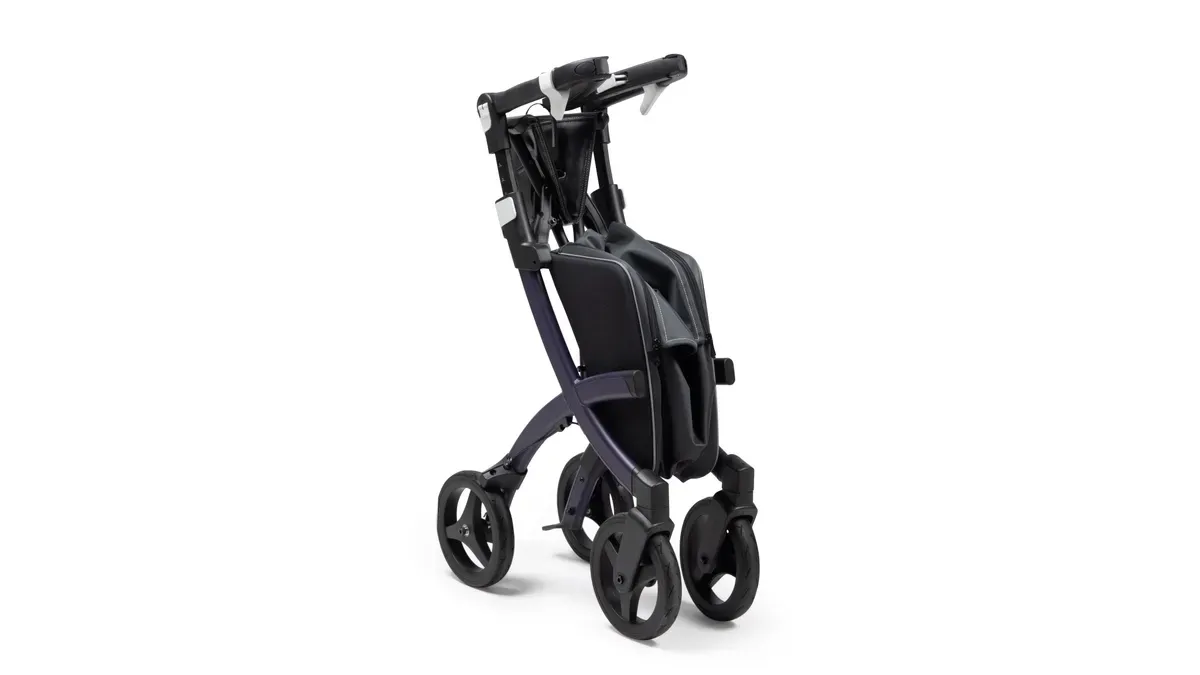
Every rollator has components that degrade with daily use. Wheels, axle bearings, and brake cables endure constant friction and stress. A user should recognize the signs of wear before these parts fail completely. Replacing worn components restores smooth rolling and protects the user’s stability.
Which Parts Wear Out Over Time
Certain components take more abuse than others. The user should inspect these parts every few months.
Wheels and Axle Bearings
The wheel surface wears down after months of rolling on pavement and tile. Tread thins, and the rubber may crack. A worn wheel rolls unevenly and causes the walker to drift. The axle bearing sits inside the wheel hub. This bearing allows smooth rotation. Dust and grit eventually penetrate the bearing seal. The bearing then grinds and wobbles. A wobbly front wheel signals a failing bearing. The user should replace both the wheel and bearing together for best results.
Brake Cables and Handles
Brake cables stretch over time. A stretched cable reduces braking power. The user must squeeze the hand brakes harder to stop the walker. The cable may also fray near the brake handle. Frayed strands catch on the housing and cause the brake to stick. The brake handle itself can crack or loosen. A loose handle fails to engage the brake fully. These failures compromise safety on slopes and uneven ground. The user should replace cables and handles at the first sign of weakness.
How to Order Spare Parts
Ordering the correct part requires specific information. The user must identify the model and serial number first.
Finding the Right Part for Your Model
Replacement parts are specific to certain models. The Drive RTL10261 and McKesson 146-RTL10261 four-wheeled walker share many components. The user must identify the serial number prefix, such as 2M, 5W, 15J, or 20H. Some parts differ by serial number, and manufacturers discontinue certain parts for older serials. The user should consult the online parts diagram or user manual. Genuine Drive replacement parts from reputable suppliers guarantee compatibility and quality. The table below lists common part numbers for reference.
| Item | Part Name | Part Number |
|---|---|---|
| 2 | Brake Assy. 2M ser # left | 750BCL-2M |
| 2 | Handle Bar Assy. Right | 750BCR-2M |
| 6 | Wheel Lock Left | 9501S7261L |
| 6 | Wheel Lock Right | 9501S7261R |
| 7 | Axle Bearing | 9500002211 |
| 8 | Rear Axle Bolt | 10208RB |
| 9 | a. Cable Adjuster | 9500001232 |
| 9 | c. Cable Fastener | 9500004101 |
| 10 | Wheel | 9501S72600 |
| 11 | Front Axle Bolt | 950300159901 |
| 18 | Brake 2m ser # | 750BRAKE-2M |
| 20 | Cable Clip | 10208C |
The user should verify the wheel diameter and bearing compatibility before ordering. Brake handles and cables must match the model for grip comfort and effective braking.
When to Replace Instead of Repair
Some problems warrant replacement rather than repair. A cracked wheel hub cannot be fixed. A bent axle bolt requires a new part. A brake cable with multiple frayed sections needs full replacement. The user should replace any part that shows structural damage. Cleaning and lubrication work for minor issues. Deep wear, corrosion, or deformation demand new components. The user should contact support if unsure whether a part is repairable.
Preventing the Pull From Coming Back
A successful repair restores straight rolling. The user must maintain that result with consistent care. Preventive habits protect the walker from future pulling problems. A few minutes of routine attention each week keeps the device dependable.
Simple Maintenance Habits
Regular care prevents debris buildup and brake imbalance. The user should follow a recurring maintenance schedule focused on the wheels and brakes. These components control straight-line movement.
Regular Axle Cleaning
Preventive maintenance experts recommend a recurring rollator check focused on the wheels and brakes. The user should follow this routine:
- Inspect wheels regularly for debris such as hair, string, or dirt, and clean between the spokes.
- Spin each wheel to check smoothness; apply a silicone-based lubricant if needed, and avoid oil-based products.
- Test the brakes frequently to confirm they engage and release smoothly.
- Tighten the screw mechanism according to the walker manual if the brakes feel loose.
This routine keeps wheels turning freely and brakes balanced.
Checking Brake Tension
Brake tension requires periodic inspection. The user should clean brake components with a soft cloth and mild soap solution. Harsh chemicals can damage cables or plastic parts. A light machine oil or bicycle-brake lubricant reduces friction on moving parts. The user applies only a small amount to prevent rust. Weekly or monthly inspections depend on use frequency. The user checks cable tension, pad condition, and lever operation. Unusual noises during braking signal a problem. Uneven brake pad wear causes pulling to one side. The user replaces or adjusts pads to ensure even wheel contact.
Daily Quick Checks
A brief inspection before each use catches small issues early. These checks take less than a minute.
Testing the Roll Before You Go
The user pushes the walker forward and applies the brakes. The unit should stop promptly and evenly on both sides. The user watches for indicators of loose or ineffective brakes. These indicators include unexpected rolling, spongy handles, delayed stopping, and grinding noises. Early detection prevents the pull from returning.
Keeping the Rollator Dry and Clean
Moisture and dirt accelerate wear on critical components. The user wipes the frame and wheels after outdoor use. A dry cloth removes dust before it enters the axle. The user stores the walker in a dry location. This simple habit protects the stability of the device and extends its service life.
A rollator pulls sideways for two common reasons: a slightly engaged brake or dirt in the wheel axle. Adjusting the handle height releases brake cable tension and stops the drag. Cleaning the wheel axle restores free spinning and removes friction. If the pull continues, contact support with the model details and a short video. Worn wheels, bearings, and brake cables are replaceable with spare parts. This solution takes minutes and restores the walker’s stability. Try the handle height check and axle cleaning today. Most walkers roll straight again after these simple fixes.
FAQ
Why does a rollator pull to one side on flat floors?
A brake drags or dirt blocks the wheel axle. This condition creates uneven resistance between the two wheels. The slower wheel steers the unit toward its side. Both causes have simple home fixes.
How does a user check for brake drag?
A user pushes the rollator forward and listens for a rubbing sound. Then they lift the affected side and spin the wheel. A dragging brake stops the wheel quickly. A free wheel keeps spinning smoothly.
What is the correct handle height for a rollator?
A user stands upright with arms relaxed at their sides. The handles should align with the wrist crease. Both sides must match exactly. Correct handle height releases brake cable tension and prevents dragging.
How does a user clean a dirty wheel axle?
Remove the wheel with an Allen wrench. Clear hair and debris with tweezers. Wipe the axle with a microfiber cloth. Apply silicone lubricant. Reattach the wheel and test the rotation.
What should a user do if the pull continues after cleaning?
A worn bearing or bent axle may cause the problem. Brake cable tension might remain uneven. The user should contact support and provide the model number. A technician can diagnose deeper damage.
When should a user replace rollator wheels or brake cables?
Replace wheels with cracked tread, flat spots, or wobbly hubs. Replace brake cables when fraying, stretching, or sticking occurs. These replacements restore stability and safe braking. Order parts specific to the rollator model.
How often should a user clean the wheel axle?
Clean the axle monthly for regular daily use. Inspect the wheels after outdoor trips or long storage. Debris builds up quietly over time. Regular maintenance keeps the wheels spinning freely.
